AI Diagrams
From plot and requirements to a full drawing set - floor plan, structure, electrical, plumbing and 3D.
Enter the plot (rectangular, L-shaped or any shape), facing, setbacks, floors and what the client needs - in your own words. CAT AI designs a to-scale floor plan, checks it against Tamil Nadu building rules, and gives you two or three options side by side.
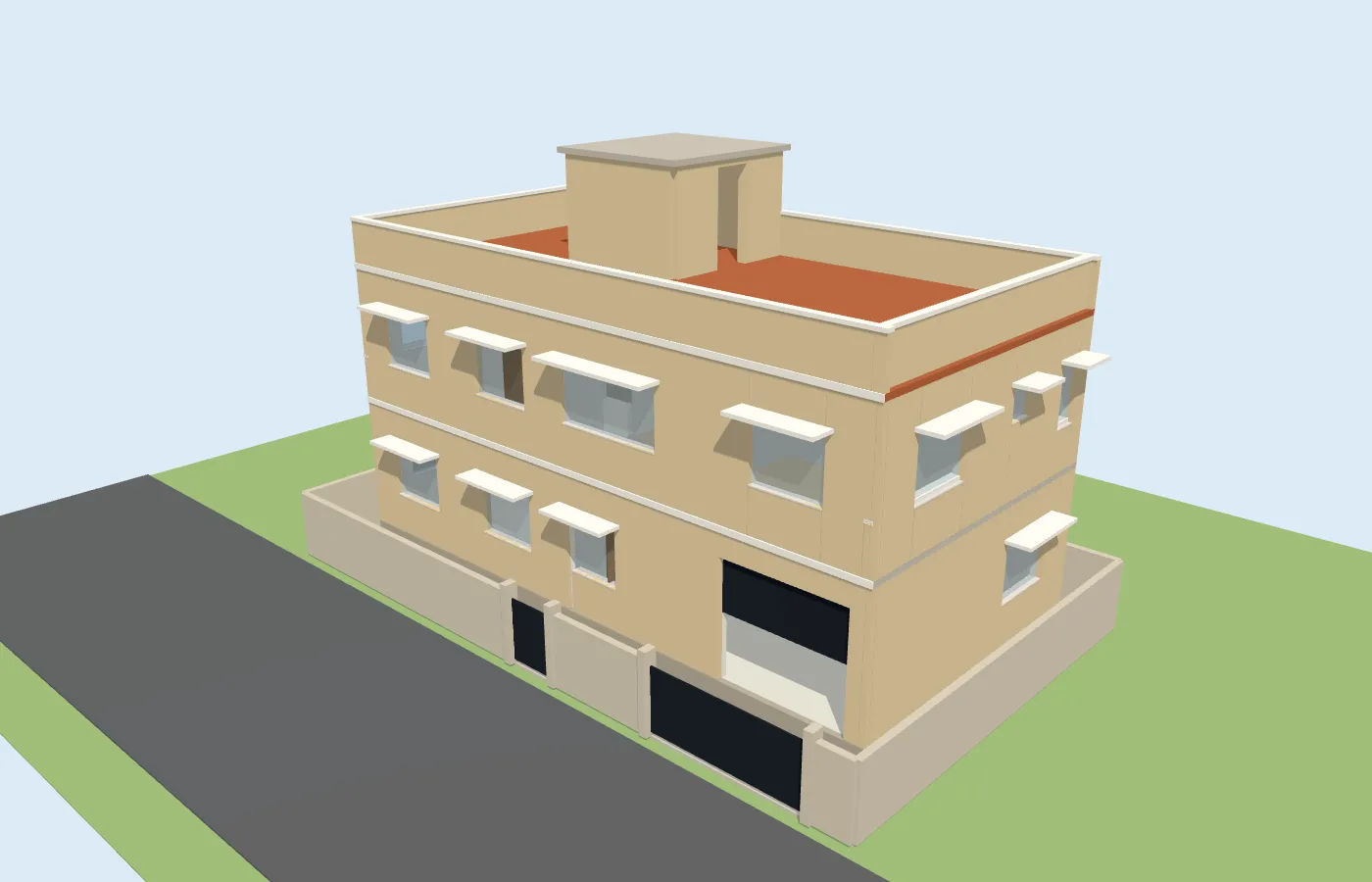
From that plan CatBOQ draws the column and footing layout, electrical points with the single-line diagram, plumbing and drainage, and a 3D view - then takes off quantities into a BOQ priced with your own rate analysis.
Why draw with AI Diagrams?
Hours of first-cut drafting become minutes - and every drawing comes from the same plan, so they always match.
Plan in your words
Plot shape, facing, setbacks, floors, rooms and notes like "parents' bedroom on the ground floor" - optional Vastu.
TN rule check
Setbacks by road width, FSI, height, parking and room sizes per TNCDBR-2019 - rules your team can edit.
Structure from the walls
Grids, columns, beams and footings with preliminary sizes and schedules, clearly marked for checking.
Electrical & SLD
Points per room, distribution boards, circuits and a single-line diagram - 3-phase when TANGEDCO needs it.
Plumbing & drainage
Fixtures, stacks, risers, sump, overhead tank, septic tank and the rainwater harvesting pit.
Plan to BOQ & estimate
Quantities measured from the drawing go into a BOQ priced with your own rate analysis.
See what it draws
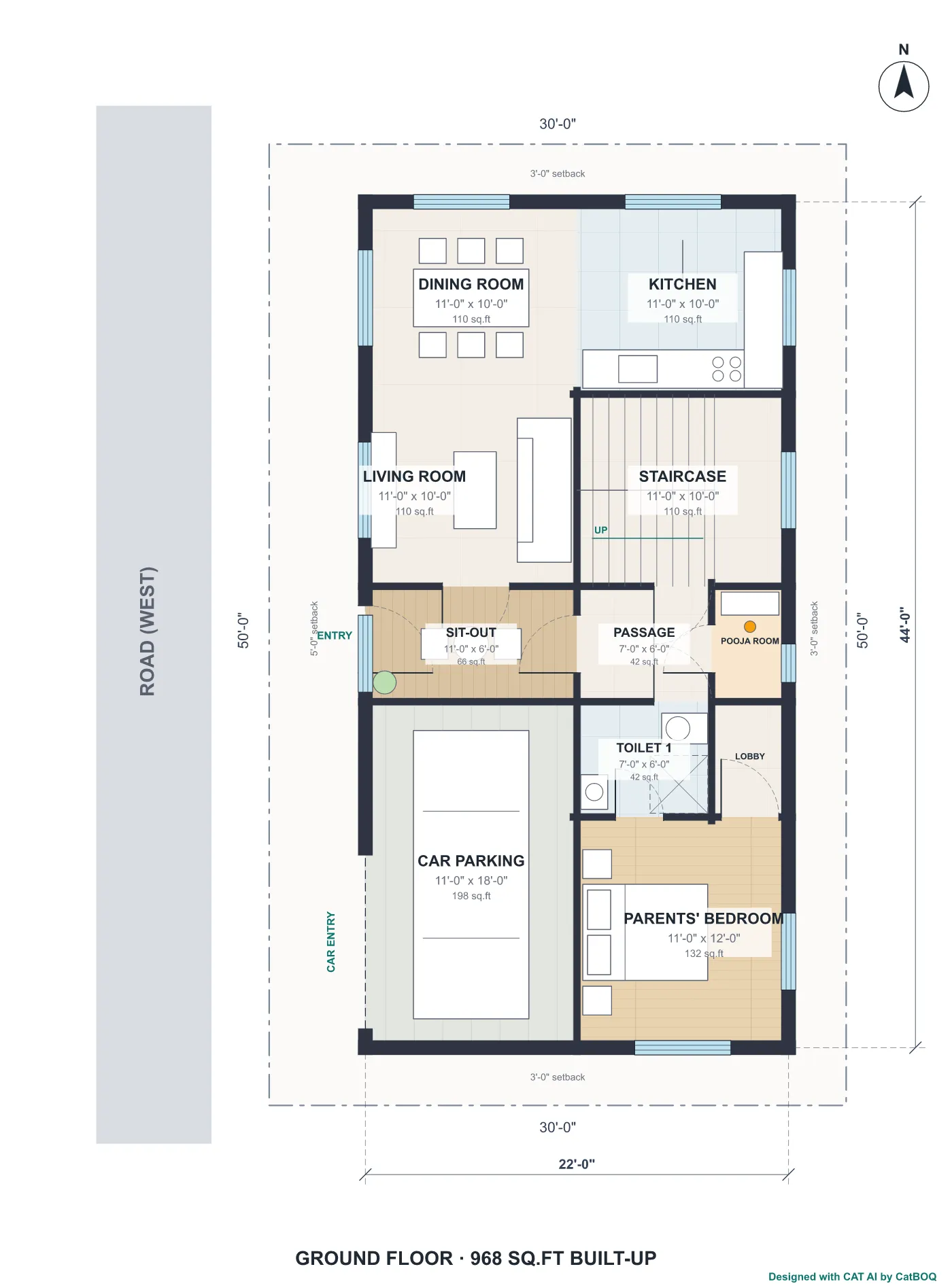
Real output from one sample plan - a 30' x 50', West-facing, 3-bedroom G+1 house - not illustrations.
Rooms, furniture, door swings, room sizes and areas, dimensions and north arrow - drawn to scale.
The same plan in one click as a black-and-white drawing - also exported as DXF for AutoCAD.
Drawings are a design starting point - structural sizes are preliminary, and every plan should be checked by a qualified engineer before approval or construction.
How AI Diagrams works
1. Describe the plot
Plot, facing, setbacks, floors and requirements.
2. Pick a design
Compare 2-3 AI options with rule checks and areas.
3. Revise by chat
"Move the kitchen to the south-east" - or edit a room directly.
4. Structure, services, 3D
Column, electrical and plumbing layouts and a 3D walk-through.
5. Export & estimate
PDF and DXF drawings, attach to the project, send to BOQ.
Who uses AI Diagrams?
Civil Engineers
A first-cut drawing set and approval check before detailed design.
Contractors
Show clients a plan, 3D view and estimate at the first meeting.
Builders
Try layouts for a plot quickly and compare options with costs.
Architects & Drafters
Start from a DXF instead of a blank sheet in AutoCAD.
Frequently asked questions
The plot size or corner points, facing, road width and setbacks, number of floors, and the rooms or anything else the client wants, in plain words. Bedrooms, bathrooms, parking and Vastu are optional.
Ready to draw your next house plan with CAT AI?
Get started and turn a client's requirements into a complete drawing set and estimate.